WABO MY on Mobile: Inside an Online Casino Malaysia Lobby
Explore the WABO MY mobile lobby through its navigation, category labels and game cards, with screenshots that show a clear route through the page.







This article is part of the Wabo Entertainment blog, where readers can learn about online gaming topics, platform updates, and category-specific guides. Use the links below to continue to FAQ, Terms, or related game pages.
Imagine scrolling past a large “300” on a mobile banner, then spotting another “300” in a game preview. The numbers match. The first might be part of an advertised example, while the second could be a tally in points or credits. A third screen might show RM or MYR beside a different number. It takes only a second to compare the digits and a little longer to see that the figures answer different questions.
When browsing WABO MY or reading an online casino Malaysia review, look for the unit, the label beside the number and the page where it appears. Those three details make it easier to distinguish a ringgit amount, a promotional illustration and the units used by a game.
MYR is the currency code for Malaysian ringgit. RM is the ringgit notation commonly used in Malaysian examples. A clearly labelled MYR 20 and RM20 identify the same currency and numerical amount. A plain 20 still leaves the unit open. If the figure is followed by credits, points or a multiplier such as ×20, keep that wording with the number. Find the description of those units before trying to compare them with ringgit. Bank Negara Malaysia's ringgit reference
The mobile view may put the heading above a card and the unit below it. If a tile is crowded, open the associated information page and read the label beside the full figure. On a zoomed or cropped image, the grey text is often the part worth finding again. It might say what the figure measures, whether it is an example or which edition of the page it belongs to.
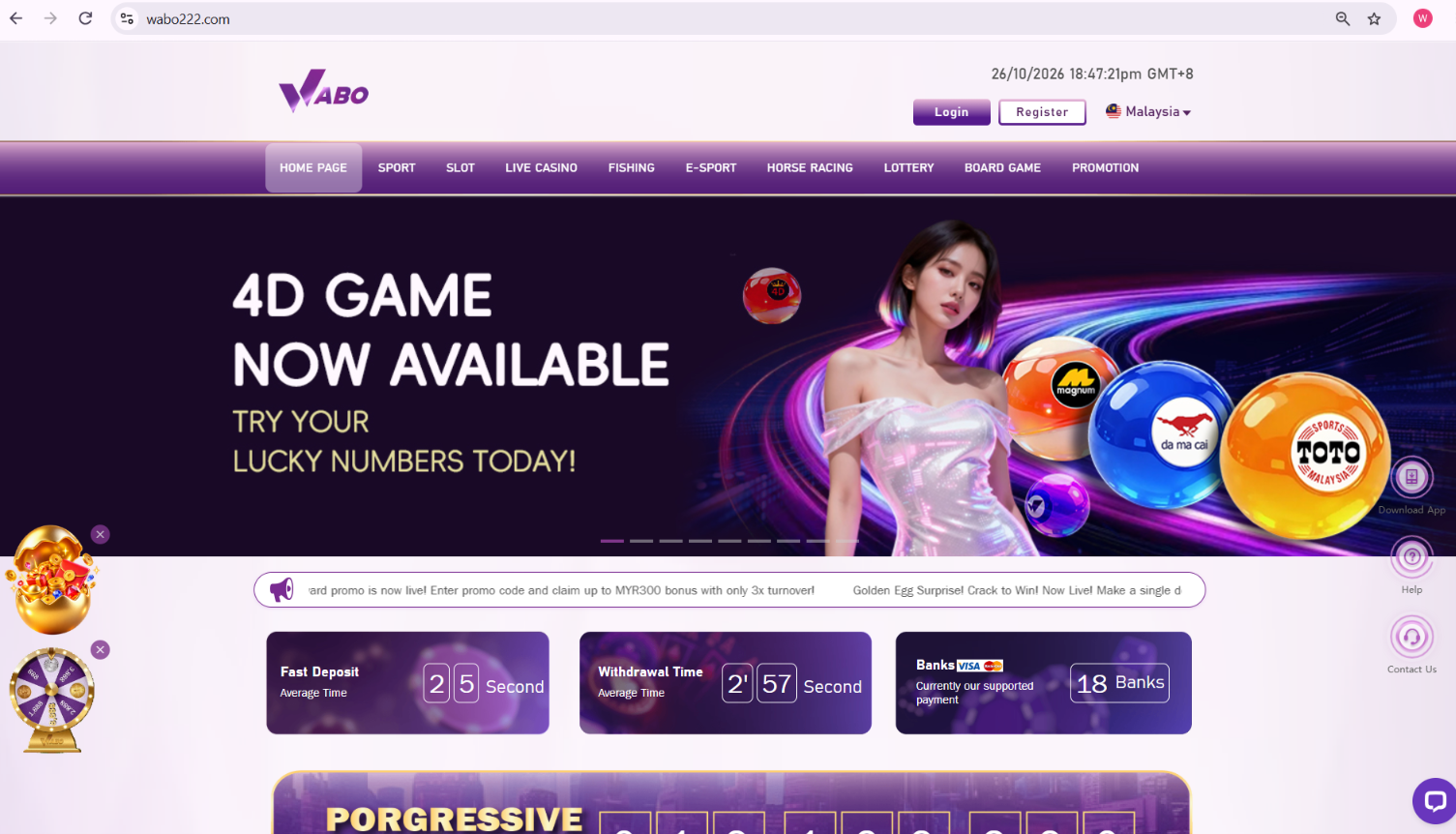
| Screen | What the number might describe | Where to look for context |
|---|---|---|
| Homepage banner | A promotion headline or example figure | The full description and applicable dates |
| Game preview | In-game credits, a multiplier or another game display | The game information and unit label |
| Article or shared image | An illustration from a particular date and view | Caption, source address and capture date |
| Account screen | A specific balance, record or status field | The field name, currency and record details |
For example, an illustration might include 100 credits, while a nearby rule example uses RM100. Copy both labels exactly when asking about the difference. The word credits tells you which figure needs the game’s definition. The RM on the separate example identifies its currency. Even with both labels visible, the screenshot alone gives you no basis for a conversion between the two. A cropped sample is especially easy to misunderstand when it travels between chat groups or older guides.
Suppose a banner reads “up to RM300.” “Up to” describes an upper limit in that line. Continue to the published details to learn who the offer concerns, how the amount is described and what dates apply. A saved headline can help you locate a page later. Its number by itself leaves those questions open. Where the general site terms point to additional rules for individual promotions, the individual rules are the place to check what the headline actually covers. WABO Asia terms
An account screen needs a different kind of reading. Check the name of the field first. A record marked “pending,” a displayed balance and a value illustrated in a help article each describe a different thing. If two labels seem to disagree, note the wording, amount, currency and time from the relevant record before asking through the support route on the verified site. A full account screenshot can expose extra details that are irrelevant to the question. Describe the label in text, or crop to the specific field and mask private information.
A useful note reads “public banner, MYR, ‘up to,’ viewed on mobile,” with the page title and date next to it. That is more helpful a week later than a folder of cropped figures. If you are comparing desktop and mobile, use the same market page and match the heading before comparing amounts. For a quick orientation through the menu, see the WABO MY mobile lobby walkthrough.
MYR identifies the currency. The surrounding wording tells you whether the figure appears in an example, a promotion, a record or another field.
Look for the full label or open the related information page. The market name gives useful context, but a game can still use a different unit within its own display.
Keep the page title, unit, label and capture date. If it is a public promotion, include a link to the written details. Mask any personal details from an account view before sharing.